One Link for Your Church Live Stream (No Website Needed)
Stop sending a different watch link every week. Give your church one permanent live stream page that counts down, flips to live automatically, and works even if you have no website at all.
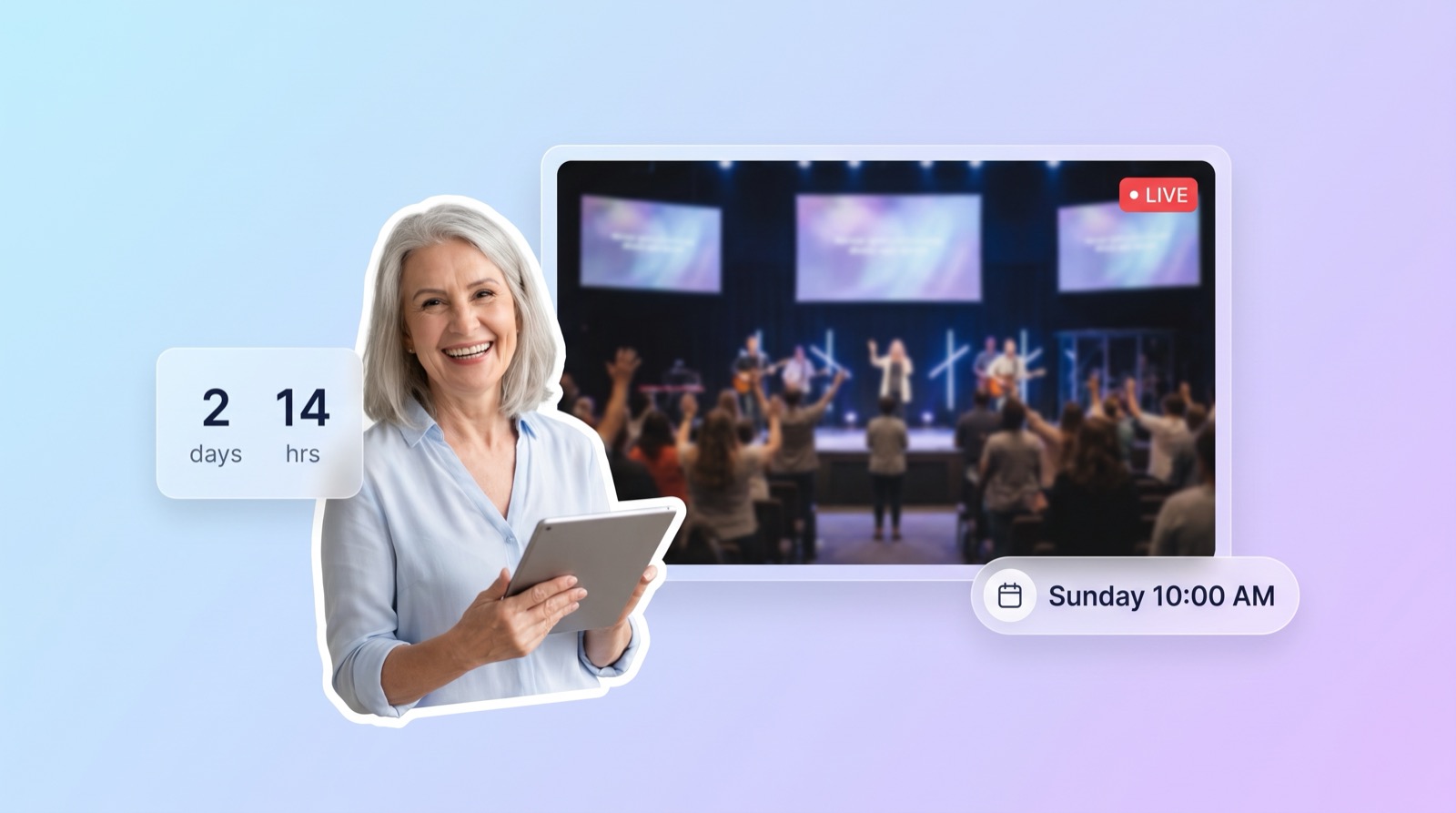
It's 9:55 on Sunday morning and the texts start: "where do we watch?" Someone digs up last week's Facebook link, which is now last week's video. Someone else posts the YouTube channel and hopes people find the right thumbnail. By the time everyone lands in the right place, you're fifteen minutes into the service.
The fix is one permanent link. Not a link to this week's broadcast, a link to a watch page that is always right: a countdown before the service, the live video the moment you start, and recent services the rest of the week. If your church has a website, that page belongs on it. If it doesn't, you can use a hosted live page and skip the website entirely. Here's how to set up either one before next Sunday.
Why a different link every week loses viewers
Every YouTube and Facebook broadcast gets a new URL, so a shared link is stale by the next service. Nearly 30% of U.S. adults aren't on Facebook at all, so a Facebook-only link can't reach them. A permanent watch page fixes both: one address that never changes and needs no account to view.
That 30% figure comes from the Pew Research Center, and the share is higher among older adults, exactly the members most likely to watch from home. We've written before about reaching church members who aren't on Facebook; the short version is that a social feed is a rented room, and the people you most want to reach are the least likely to have a key.
The weekly link scramble has a quieter cost too. Every time the link changes, somebody has to send it, and somebody else has to find it. Miss one week and the homebound member who bookmarked October's video is now watching the wrong service, or nothing. A permanent address turns "did you get this week's link?" into "go to the same place as always."
What a good watch page does all week
A church watch page should be correct at every hour of the week, not just during the service. Before the service it shows a countdown and the weekly schedule. When you go live it switches to the video automatically. Afterward it shows recent services, plus the things a visitor needs next: a Give button and your contact links.
Think about who actually opens that link. Tuesday afternoon it's a member who missed Sunday and wants to catch up. Saturday night it's a visitor checking service times before deciding to come. Sunday at 10:01 it's the grandmother who was told "we're live now." A page that only makes sense during the broadcast fails two of those three people.
The "switches automatically" part matters more than it sounds. If a volunteer has to update the page when the stream starts, the page is wrong exactly when the most people are looking at it. The switch needs to happen on its own, within seconds of the stream starting, with nothing for the viewer to refresh.
If your church has a website, embed the stream there
Embedding puts the live video inside a page on your own site, so members watch at yourchurch.org instead of being sent to a social feed. The catch is that a plain embed code points at one broadcast and goes stale every week. An auto-embed widget fixes that by detecting when you're live and updating itself.
Your website is the one address your congregation already knows, so it's the natural home for the stream. If the word "embed" is new to you, our two-minute explainer on what it means to embed a live stream covers it, and the full walkthrough lives in how to embed your church live stream on your website. The one-time setup is genuinely small: paste one embed code into your builder's page, and the widget handles the live detection from there, usually within about 10 seconds of the stream starting.
Then build the rest of the watch page around the video: service times, a Give link, and last week's service. That's the part most churches skip, and it's why the page feels dead six days a week.
No website? Use a hosted live page
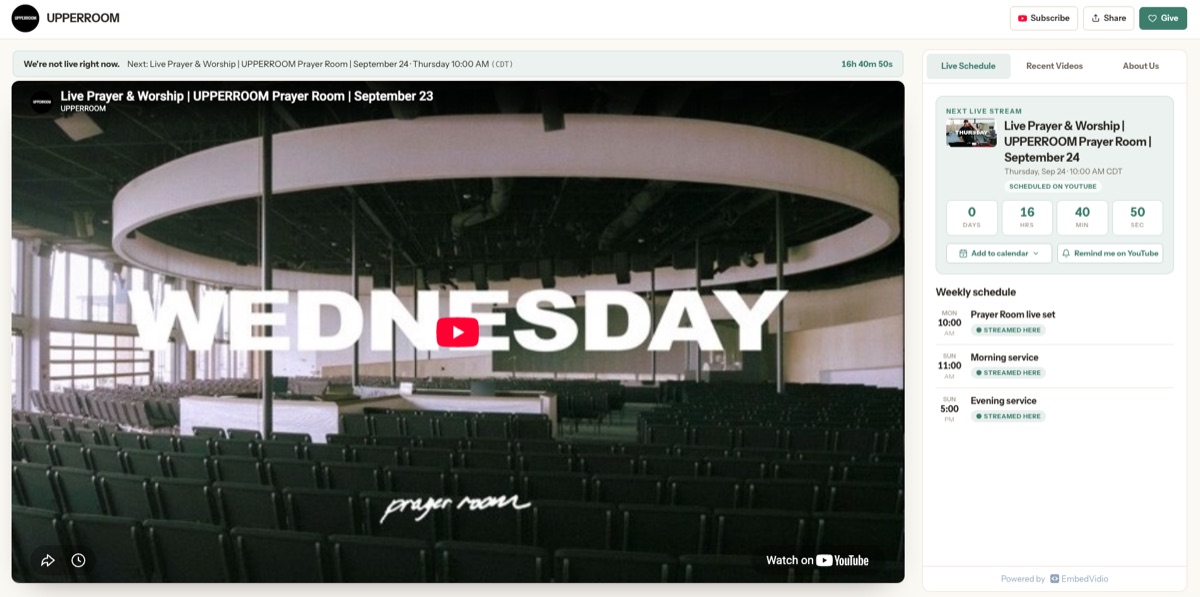
A hosted live page is a watch page someone else hosts for you at a permanent address, with your logo and colors, no website builder involved. Your stream, countdown, schedule, recent services, and Give button live on one link you can share anywhere. You keep streaming to YouTube, Facebook, or Twitch exactly as you do now.
Plenty of churches don't have a website, or have one a former member built in 2014 that nobody can log into anymore. That shouldn't cost you a proper watch page. This is why we built the Live Page at EmbedVidio: a page we host at embedvid.io/@your-name that does everything above out of the box. You connect your channel, upload your logo, set your weekly schedule, and share the link. When you start streaming, the countdown flips to the live video on its own.
You can take a look at the demo right now: we set up a demo Live Page around UPPERROOM in Dallas, and since they stream most weekdays, there's a good chance you'll catch the page while it's live. A Live Page is included in every plan, starting at $9/month with a 7-day free trial, and it takes about a minute to create.
If you're weighing this against building a full site, be honest about the job. A church website carries sermons, staff pages, events, and a calendar. A watch page carries one job: get the person to this week's service. You can start with the hosted page today and still build the full website later; the link keeps working either way.
Put the one link everywhere people already look
A permanent watch link belongs in the places your members already check: the printed bulletin, a QR code on the screen before service, your weekly email, text reminders, every social bio, and your Google Business Profile. Because the address never changes, each of those placements keeps working forever without anyone updating it.
The QR code is the sleeper hit. Put it on the screen during announcements with "watching from home next week? Point your camera here." Members save the page to their phone in the pew, while they're thinking about it, and the next time they're sick or traveling they already have it.
The Google Business Profile matters for visitors. When someone searches your church's name on a Saturday night, the profile is often the first thing they see. A "watch online" link right there answers the question they were actually asking.
And once the link is everywhere, resist the urge to also post the raw YouTube link "just in case." Two links means half your congregation bookmarks the wrong one. One address, everywhere, every week.
Get it ready before Sunday
Pick your route and do the one-time setup this week. If you have a website, follow the embed walkthrough and put the stream on a page you control. If you don't, create a hosted Live Page and you'll have a shareable link in a few minutes. Either way, add the link to the bulletin and your bios, put the QR code in the slide deck, and let it run.
Then next Sunday at 9:55, when the "where do we watch?" text arrives, the answer is the same as last week and the same as forever. For the bigger picture, from cameras to platforms to the website itself, start with our complete guide to live streaming your church service.
Frequently Asked Questions
Can our church have a live stream page without a website?
Yes. A hosted live page gives your church its own watch page at a permanent address, with your logo and colors, and no website to build or maintain. You keep streaming to YouTube, Facebook, or Twitch exactly as you do now, and the page shows the stream automatically.
What should be on a church live stream watch page?
The live video front and center, a countdown to the next service, the weekly schedule, recent services for anyone who missed Sunday, and a Give button. The important part is that it updates itself: countdown before the service, live video during, recent services after.
How do people find our live stream page?
You share one permanent link everywhere: the bulletin, a QR code on the screen, text reminders, your social bios, and your Google Business Profile. Because the link never changes, members can bookmark it once and it works every single week.
Does the page switch to live automatically?
A good one does. The page watches your YouTube, Facebook, or Twitch channel and flips from the countdown to the live video the moment you start streaming, usually within seconds. Nobody has to update a link, swap an embed code, or refresh the page.
Written by
EmbedVidio Team
EmbedVidio puts your live streams and videos from Facebook, YouTube, Twitch, and more on any website with a one-time embed code.
Related Articles
 Church Streaming
How to Reach Church Members Who Aren't on Facebook
A big share of your congregation will never watch a Facebook-only stream. Here is how to make sure the members who aren't on Facebook can still watch your service, from your own website, no account required.
7 min read Church Streaming
How to Embed Your Church Live Stream on Your Website
Three ways to get your church live stream onto your own website: manual embed codes, church platform widgets, and a one-time embed that detects when you go live. What each one costs you every Sunday, where to paste it, and what to do when the stream does not show.
11 min read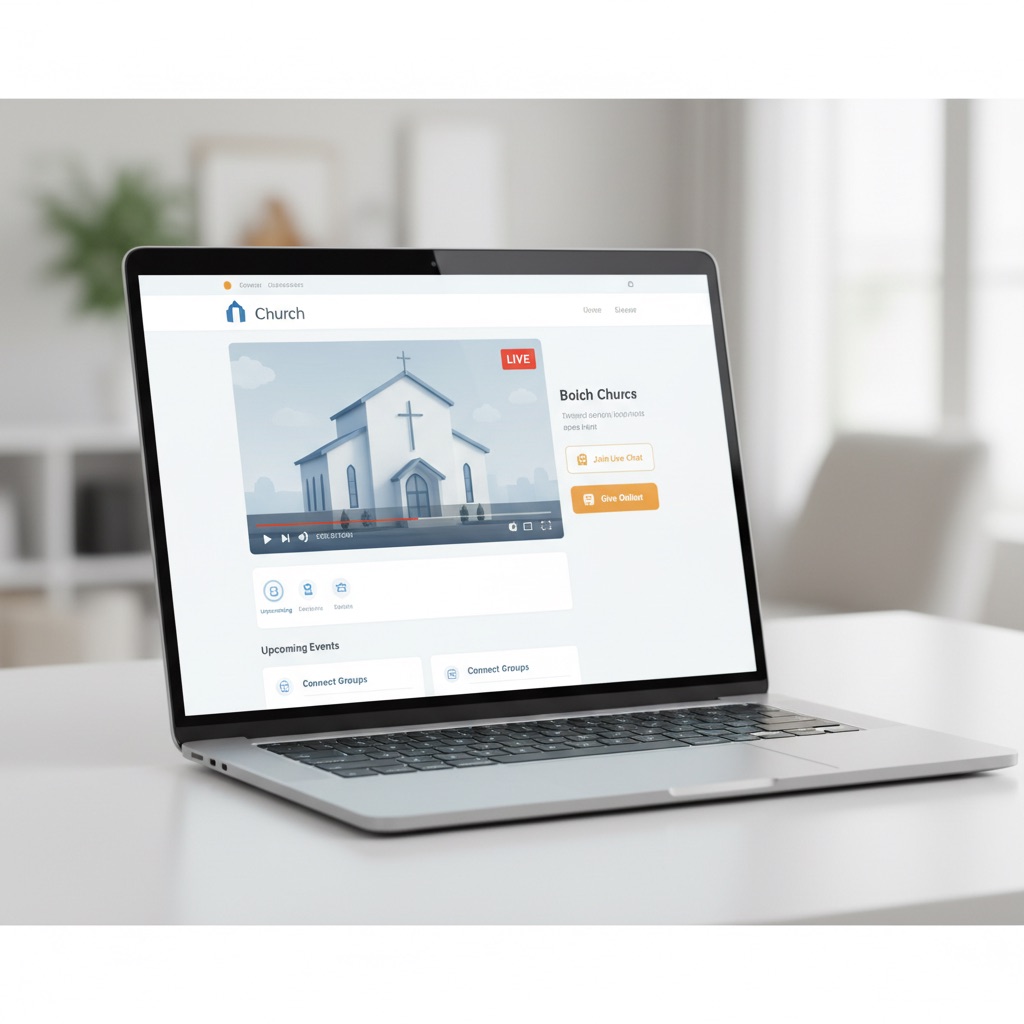 Church Streaming
The Best Church Live Stream Widget for Your Website
A church live stream widget puts the service you already stream on Facebook or YouTube onto your own website, automatically. Here's what a widget actually does, the five things that separate a good one from a fancy embed code, and how it compares to manual embeds and full streaming platforms.
10 min readGive your stream a home this Sunday
Create your own Live Page at embedvid.io/@your-name in about a minute. Free 7-day trial, no credit card required.
Start Free Trial