How to Auto Embed Facebook Live on Your Website
Facebook generates a new embed code every time you go live. Learn how to auto embed Facebook Live on your website with a one-time setup that works on any platform.
Every time you go live on Facebook, you get a brand-new video URL. That means the embed code on your website is already outdated before your stream even starts.
If you've been manually copying and pasting Facebook Live embed codes, you know the drill. Log into Facebook, start your stream, grab the new embed code, update your website, and hope you didn't miss a step. Do that every week (or more), and it gets old fast.
There's a better way. You can auto embed Facebook Live on your website with a one-time setup that never needs updating. Your website detects when you go live and starts streaming automatically.
Here's how it works, plus a look at all your options from manual embeds to WordPress plugins to universal auto-embed tools.
Why Facebook Live Embed Codes Are a Headache
Facebook doesn't give you a permanent embed code for live streams. Unlike a regular video that lives at a fixed URL, each live broadcast creates a completely new video object with its own unique URL.
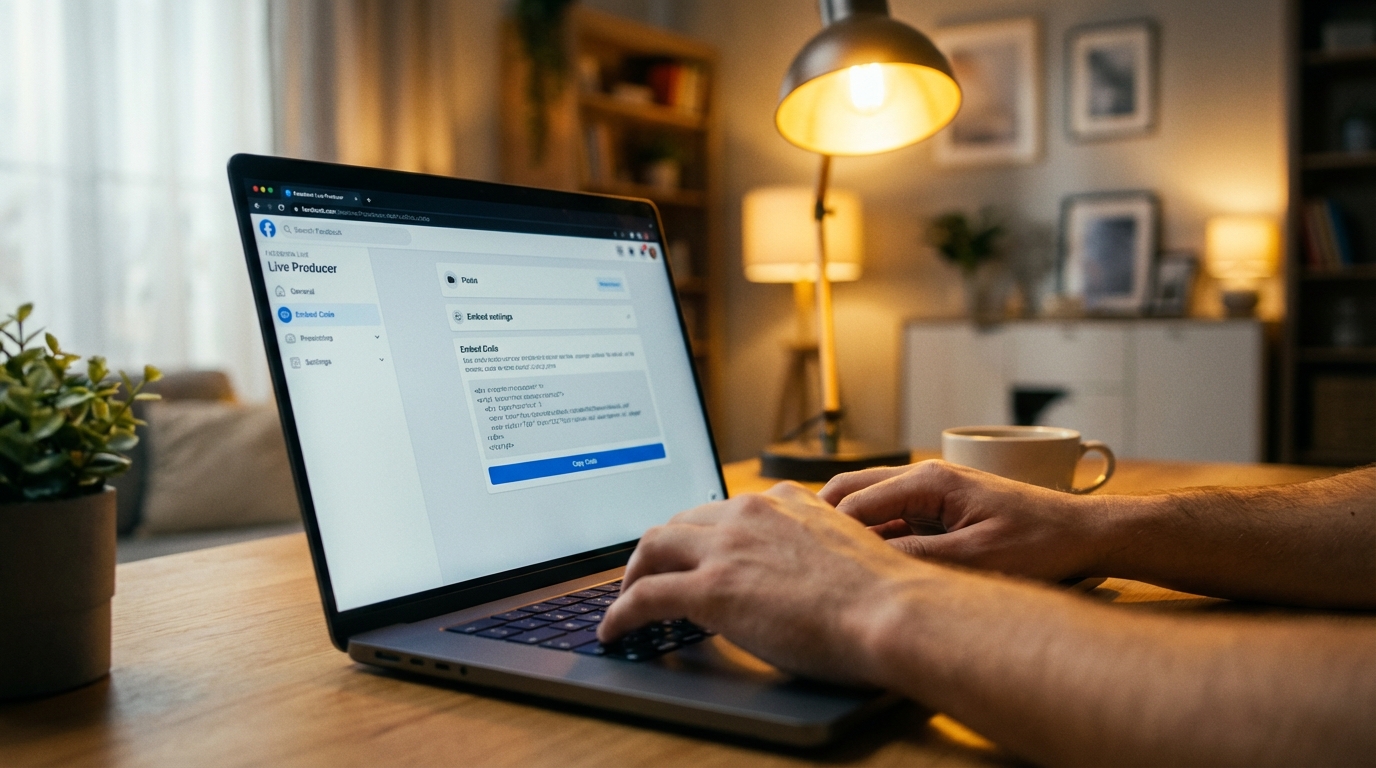
That means:
- Every stream = a new embed code. There's no reusable link for "my next live stream."
- You can't set it up in advance. The embed code doesn't exist until you actually go live.
- Someone has to update your website every time. If they forget, your site shows the old video or nothing at all.
For churches streaming weekly services, businesses running live sales, or anyone going live regularly, this creates unnecessary stress. The person managing your website has to be available, logged into Facebook, and ready to copy-paste right before every stream.
Did you know: Facebook generates a completely new video URL for every single live broadcast. There is no permanent live stream embed code. This is the #1 reason organizations switch to auto-embed tools.
Method 1: The Manual Facebook Embed (Free, but Repetitive)
Facebook does offer an official way to embed live videos. Here's how it works through their Live Producer:
Steps to Manually Embed Facebook Live
- Go to Facebook Live Producer on your Facebook Page
- Click Settings, then select Stream
- Toggle on Embed Live Video
- Click Get Embed Code and choose your video size
- Copy the iframe code
- Paste it into your website's HTML before going live
- Start your stream
The video will play on your website as long as you're live. Once you end the stream, the embed shows the recorded version.
The Catch
You have to repeat steps 1 through 6 every single time. Miss a step, and your website visitors see a stale video from last week or a broken embed.
There's also a technical requirement: Facebook's embedded video player requires you to register your domain in the Facebook Developer console. Without this, the embed may not load at all.
Pros:
- Free
- Uses Facebook's official player
- Shows recorded video after stream ends
Cons:
- New embed code required for every stream
- Must update website before each broadcast
- Requires Facebook Developer domain registration
- Only works for Facebook Pages (not personal profiles)
Method 2: WordPress Plugins (WordPress Only)
If your website runs on WordPress, a few plugins can automate the Facebook Live embed process.
WP Livestream ($59 one-time)
This WordPress plugin detects when your Facebook Page goes live and automatically embeds the stream. You add a shortcode to any page or post, and the plugin handles the rest.
What to know:
- Detection takes up to 3 minutes after you go live
- Visitors who loaded the page before you went live need to refresh their browser
- Only supports Facebook Pages (not profiles or groups)
- One stream at a time
- $59 one-time purchase
Smash Balloon Facebook Feed Pro
Smash Balloon is primarily a Facebook feed plugin (posts, photos, videos), not specifically a live stream tool. It can display your Facebook feed including live videos, but it's not designed for real-time live stream detection.
What to know:
- 250,000+ users, well-established plugin
- Focused on Facebook feeds, not live-specific auto-detection
- Good for showing your Facebook content on WordPress
- More expensive than dedicated live stream tools
- WordPress only
The Limitation of WordPress Plugins
The obvious problem: these only work on WordPress. If your website runs on Squarespace, Wix, Shopify, Weebly, or a custom platform, WordPress plugins aren't an option.
Even on WordPress, most plugins have detection delays and require page refreshes. That means your viewers might load the page, see nothing, and leave before the live stream appears.
Method 3: Universal Auto-Embed Tools (Any Website)
Auto-embed tools work on any website, not just WordPress. They connect to your Facebook Page and detect live streams automatically, then display them through a permanent embed code that never changes.
How Auto-Embed Works with Facebook Live
- Connect your Facebook Page to the auto-embed service
- Copy one embed code and paste it on your website
- Go live on Facebook as usual
The tool detects your live stream within seconds and starts playing it on your website. No page refresh needed for viewers. When you stop streaming, it automatically shows your saved videos or a custom placeholder image.
The embed code on your website never changes. You paste it once during setup and it works for every future stream.
Pro tip: Auto-embed tools like EmbedVidio detect your Facebook Live stream within seconds, not minutes. And your viewers don't need to refresh the page. The stream just appears automatically.
EmbedVidio: Built for Facebook Live Auto-Embedding
EmbedVidio connects to your Facebook Page, YouTube channel, and Twitch account. When you go live on any connected platform, your website starts streaming automatically.
Here's what makes it different from the other options:
- Works on any website (WordPress, Squarespace, Wix, Shopify, Weebly, custom HTML)
- No page refresh needed. Viewers see the stream start in real-time.
- Detection in seconds, not minutes
- Distraction-free player. No Facebook UI, no like buttons, no comment feeds. Just the video.
- Offline fallback. Shows your saved videos or a custom image when you're not live.
- Affordable. Starting at $9/month, or $7/month billed yearly. 7-day free trial, no credit card required.
For a detailed comparison with other tools, check out EmbedVidio vs SociableKIT.
What Real Users Say
"Before EmbedVidio, I had to manually add the embed code every time. This was too much work in a short time before the event began. Now I don't have to worry about it." - Silvio Miranda, Catholic Church of The Holy Trinity
"Your app has been a definite blessing. A number of members do not use Facebook. Now, they can!" - Joseph Campbell, South Charlotte Baptist Church
Comparing Your Facebook Live Embed Options
| Feature | Manual Embed | WordPress Plugins | Auto-Embed (EmbedVidio) |
|---|---|---|---|
| Cost | Free | $59+ one-time | Starting at $9/month |
| Works on any website | Yes | WordPress only | Yes |
| Setup frequency | Every stream | Once (with delays) | Once |
| Live detection | Manual | 1-3 minutes | Seconds |
| Page refresh needed | Yes | Yes | No |
| Facebook Pages | Yes | Yes | Yes |
| Facebook Profiles | No | No | No (Pages only) |
| YouTube/Twitch too | No | Some plugins | Yes |
| Distraction-free | No (Facebook UI) | Varies | Yes |
| Custom placeholder | No | Some | Yes |
How to Set Up Auto-Embed for Facebook Live
Ready to stop updating embed codes? Here's the setup with EmbedVidio:
Step 1: Start Your Free Trial
Sign up at embedvid.io/pricing. No credit card needed. You get full access to all features for 7 days.
Step 2: Connect Your Facebook Page
In your dashboard, click "Add Connection" and select Facebook. You'll authorize EmbedVidio to access your Page's live stream data. This is a secure OAuth connection (EmbedVidio never sees your Facebook password).
Important: EmbedVidio works with Facebook Pages, not personal profiles. If you stream from a personal profile, you'll need to switch to a Facebook Page first. Pages are free to create and offer better streaming features anyway.
Step 3: Copy Your Embed Code
Your dashboard shows a unique embed code for your widget. Copy it.
Step 4: Add It to Your Website
Paste the embed code into your website. Here's how for each platform:
- WordPress: Add a Custom HTML block in the page editor and paste the code
- Squarespace: Insert a Code Block and paste
- Wix: Add an HTML Embed element from the "Add" menu
- Shopify: Paste into a Custom Liquid section or page template
- Custom/HTML site: Paste directly into your HTML where you want the player
That's it. The next time you go live on Facebook, your website will start streaming automatically.

Platform Requirements and Limitations
A few things to keep in mind about Facebook Live embedding:
Facebook Pages only. All embedding methods (manual, plugins, and auto-embed) require a Facebook Page. Personal profiles and Facebook Groups do not support embed codes. If you're currently streaming from a personal profile, create a free Facebook Page for your organization.
Domain registration for manual embeds. If you use Facebook's official embed player (the manual method), you need to register your website domain in the Facebook Developer console. Auto-embed tools handle this for you.
Facebook's 30-day video policy. Facebook may remove live video replays after 30 days. If you want permanent recordings on your website, consider also streaming to YouTube (which keeps videos indefinitely). EmbedVidio supports both platforms simultaneously.
Quick note: You can connect Facebook and YouTube to EmbedVidio at the same time. If you multistream to both platforms, EmbedVidio will detect whichever goes live first and display it on your website.
Who Uses Facebook Live Auto-Embed?
Churches are the biggest users. Most churches stream weekly services on Facebook, and their congregation members who don't have Facebook accounts can watch on the church website instead. Check out our full guide on how to embed your church live stream on your website.
Small businesses running Facebook Live sales events use auto-embed to drive traffic to their own website, where the checkout process is simpler and they control the experience.
Radio stations and media outlets simulcast to Facebook and their website simultaneously, reaching both social media audiences and direct website visitors.
Fitness instructors and educators stream classes on Facebook and embed them on their membership sites for students who prefer watching outside of social media.
Stop Updating Embed Codes Every Week
Facebook's embed system wasn't built for recurring live streams. It was built for one-off video embeds. If you go live regularly, you need a tool that bridges the gap.
Auto-embed Facebook Live on your website with a one-time setup. Start your free trial with EmbedVidio and paste your last embed code ever. Your streams will show up automatically, your viewers won't need to refresh, and you'll never have to think about it again.
Frequently Asked Questions
Why does the Facebook Live embed code change every time?
Facebook creates a new video object with a unique URL for every live broadcast. Unlike regular videos, there is no permanent or reusable embed code for live streams. This is by design in Facebook's platform.
Can I auto embed Facebook Live on Squarespace or Wix?
Yes, but not with WordPress plugins. You need a universal auto-embed tool like EmbedVidio that generates a single embed code compatible with any website platform, including Squarespace, Wix, Shopify, and Weebly.
Does auto-embedding work with Facebook personal profiles?
No. All Facebook embedding methods (manual, plugins, and auto-embed tools) require a Facebook Page. Personal profiles and Facebook Groups do not support embed codes. Pages are free to create on Facebook.
Do viewers need to refresh the page to see my Facebook Live stream?
With manual embeds and most WordPress plugins, yes. With auto-embed tools like EmbedVidio, no. The stream appears automatically without any page refresh needed.
How quickly does auto-embed detect my Facebook Live stream?
EmbedVidio detects Facebook Live streams within seconds. WordPress plugins like WP Livestream can take up to 3 minutes. Manual embeds require you to update the code before going live.
Written by
EmbedVidio Team
Ready to auto embed Facebook Live on your website?
One-time setup. No more weekly embed code updates. Start your free trial today.
Start Free Trial